Showing posts with label installation. Show all posts

Wednesday, September 17, 2014

Example of Garage ceiling light

A customer sent us his installation example:
(LED retrofit kit and film diffuser can be purchased at easyledlighting.com)

What I wanted is to light up our garage as my workspace. The garage has bare wood studs roof but doesn't have light bulb base installed. What I want is something easy to install, bright enough low maintenance and not cost a lot.  

1) mount LED driver and LED modules between roof studs.

   Use screws to mount LED driver to wood stud, and using longer nail to mount LED module loosely and away from roof panel, so that the back of module won't be covered and air is still good to ventilate all around the module bracket, which double as heat sink.
At first, I use the diffuser film that designed for the module. The LED module and diffuser together is very light in weight (about 2 Oz), so I can  hang the module on the end of two long nails and it stays there.

2) Tidy up the wires, connect the power and the modules will just light up.
From the power plug, AC wire to LED driver is running on home AC, make sure you follow building electrical code for that 1 pair of wires.  After LED driver, the wires to connect each LED module are all running on low voltage DC. (The kit I purchased is 24V DC), therefore we can go easy on the wiring. After the wiring done and plug into wall socket, all LED modules light up instantly. But once the round shape diffuser is used, the light goes out at all direction and I realized I shouldn't install LED module between wood studs.

3) I purchased acrylic diffuser panel from HomeDepot (at lighting section, near florescent lamps), I cut into suitable size to cover space between wood studs, use drill to pre-drill screw holes. (can't nail or screw on acrylic panel directly)

4) Remove the diffuser film, mount the diffuser panel on wood studs to cover LED module. I have the diffuser panel cut to 16" long so there are at least 3" more diffuser coverage over both sides of  LED module. Screw them to wood studs.
5) Light up, the light is very bright and it looks neat from below.  Winter is coming and this LED set can withhold -20F, which I don't think it would get this cold indoor.


Wednesday, August 6, 2014

Mount Easy LED module to wood frame

The main enemy for high power LED is heat. Our special design quickly dissipates heat from tiny LED chip to large area metal mounting plate; but the end game is still to spread heat out of this module to its surrounding, air in most cases.

If the application is to attach LED module to metal lamp case, then heat dissipation won't be a problem at all. So is to set it by itself that both sides of plate exposed to free air.

However, it's common desire that we want to attach this module to wood frame, which is easy mounting. The bad thing about it is that: Wood dissipates heat slowly, by attaching one side of LED module plate to wood, it's like cover 50% of heat sink area to stop heat transfer to air. That's bad and what can we do if we have to?

     Keep Air Flow
Below is an example how I attach our module to wood frame. I use screw nuts as spacer to keep air still get in touch with both sides of metal plate. Also it would be wise to mount the module to an airy location to keep cool. The result is good enough to sustain heat dissipation.

Friday, March 14, 2014

Is it easy to install Easy LED kit?


My kitchen, about the size of 14x10',  has build-in ceiling light that was using fluorescent tubes. There were 4 four feet long T5 tubes that were installed inside the 11" ceiling space and were using totally 120 Watt of power when turn on.
Fluorescent tubes has a shorter life span and it was really a hassle to replace a 4 feet long glass tube. As I started this LED business, my first order was to replace this ceiling light.

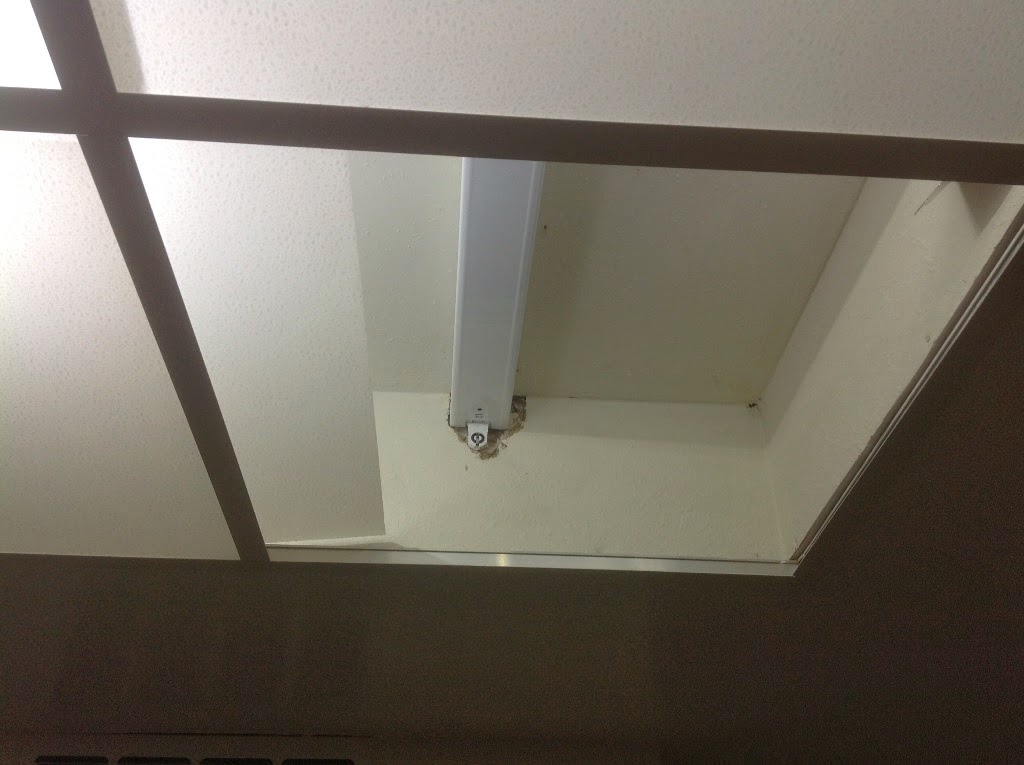
This ceiling light is actually very simple with 2x2' diffuser panels. The diffuser panel can be easily push up and move to the side to reveal access space for works like replace fluorescent tubes.

To install Easy LED kit,  The first step is to remove all fluorescent tubes and find the power feed. I did not remove the old fluorescent lamp base; I just leave them in there to reduce the junk I had to remove for this project. But it's a good idea to disconnect the old ballast from power feed as the ballast would still consume a little bit of power despite tube is removed.

The second step is to install LED modules at proper locations. Our standard modules are pre-bent to 90 degrees and pre-wired. So the location of the modules are determined by wire connectivity. Handle module via its metal bracket; DO NOT touch the LED balls. Remember the LED driver need to be placed near the power feed, and the rest of modules should just follow the wires to deploy. Modules are installed flat side against ceiling so the LED are facing downward.

To install them to a clean and flat surface, we can just use its back double sided type to stick to surface, remember to push it really hard (pressure) against the surface and allow dwell time (1 hour) to let the adhesion to set before turn on the light.

On a not so clean surface such as old dry wall surface, use included screws to enhance fastening. When I install them on dry wall, I don't even need to pre-drill hole, just push it into the dry wall. And I only use one screw per module.  

Once those modules are set and wires are arranged. the next step is to connect the wiring, just follow this link to connect them.

The whole installation was very easy and didn't take much time. At end, just make sure the lights are working before we close the diffuser panels. Once that was done, just enjoy the very bright and energy efficient LED light.

I used 4 modules that consumes 60 Watt of power, which is only half as before. But then my kitchen is already the brightest room in my house.

4 modules Easy LED kit is on sale at easyledlighting.comfor less than $70


Monday, February 10, 2014

LED Kit installation -- Wiring

Before start to install, make sure the power switch is off or plug is pulled; handle LED modules with metal bracket, DO NOT touch the yellow LED balls.

The center of wiring is base on driver. There are two sides of driver, one side is AC side with brown/blue wires and the other side is DC side with red/black wires.
Our AC input is universal AC range from 95~ 265V AC, that covers all household AC systems around the world.

DC is polarities, connect the red wire to the yellow wire from LED module(s) and connect the black wire to our white wire. 


Before connect the wires to AC, make sure the power cord is unplugged or switch off.
AC is non-polarity, you can match the pair freely. Use either  twist cap or electrical tape to connect the wires. Make sure the connection is secure and no copper is exposed.


Fasten LED module and driver.

For even and clean surface, use double sided tape for installation. Our double sided tapes are 300% stronger than the ones you can find from office depot and can withhold 212F temperature. Just peer off the cover and press object firmly against surface. (a minimum application pressure should be 15 pounds in order to achieve maximum bond strength.

 The dwell time the tape needs to be in contact with both surfaces, before it reaches it maximum adhesion, is 1 hours. )

For uneven or lose surfaces, use included screws for installation, still use double sided tape for positioning. Use 7/64" drill bit to drill two pilot holes for each object and apply screws.(Wear eye protection) The 3/8" screws are for power supply and ¼" screws are for light modules.

­Do NOT turn on the light (heat up) before the tape dwell time (1 hour) is met

For instance installation, use screws.

Sunday, January 26, 2014

How to install Diffuser Film


Easy LED module has a special diffuser film design for it. This high efficient diffuser film can fully smooth out the intense light for comfort viewing by naked  eyes.
To install this film, first find orientation. There is a cut corner to match wire solder points, four tabs for going under PCB module thin slots.


First one side of tabs through slots under PCB, then bent the film so it can cover the light come our from LED.


Slide tabs from the other side between installed tabs and PCB fully and installation is done.


To get diffuser and Easy LED module, click here

Friday, December 27, 2013

Torchiere lamp fit

Torchiere lamp projects its light mainly upward toward ceiling and then reflects down. Using LED or CFL bulbs is not as effective nor as bright as using our LED base lamp. This conversion had brighten many rooms and many users are very happy with the result.

This conversion use a LED base lamp, it is configured with two easy LED modules stick on both sides of driver, This is a 32 watt LED base lamp with diffusers. One of good application for this base lamp is to be a LED replacement luminaries for torchiere lamp; It's very bright yet only use 32 watts. Not just energy, I did this also because the CFL bulbs used in lamp were making too much noise for reading.
The kit comes as 2 diffusers, pre-wired 2 bent LED module and one driver.

(1) first install diffusers on to the modules.
(2) peel off the double sided tape and fasten LED modules to two sides of driver, with light output point outward.
 

This is our LED light Gut, about 9" long, 4" tall and 5.5" wide, weight just 1.0 lb


(3) Work on the torchiere Lamp, clean existing light gut that is either using light bulb or Halogen; only leave AC power wires
The metal plate can be bent using a pair of pliers for fitting in the bowl.


Adjust module inside Lamp shell so it can point light to where we need it most. See how bright it make a room.

To get Easy LED base Lamp


Friday, December 20, 2013

World Lamp assembly instruction

World lamp is Shop light from Easy LED Lighting


The parts needed to assembly one World Lamp:
Light gut set has two LED module, driver and wire set,
One piece Lamp shell,
Snap lock pack (7 locks).


Fold tabs near diffuser window up right and align to holes, use snap lock to tighten tabs together to form chamber walls. When folding the tabs, use hand or a ruler to press against the folding line.

Snap lock is a set of plastic push in screw and nut, they can be push in; but to really tighten parts, still turn screw to tight.  
Insert LED modules through two slots at top of lamp shell, 

Insert electrical wire plug through top open at lamp shell, place LED driver at middle chamber,
close the opening door, tape them together if possible. 
Turn chamber walls up right. Fold down the latch tabs on inner lid to hold walls in position,
After hold all 4 walls at position, close lamp lid.
Use snap lock to fasten lamp lid, use the complete set to lock holes at both side, use only the screw for middle hole, where the nut is glued to inner lid.
Lamp can be hang via screw hole on both LED module, or can be nailed or screwed to wood frame vie those screw holes.

Saturday, November 30, 2013

How to trouble shoot a LED kit? (and Quick fix)

Every kit we shipped had gone though a 10 hours burn in test, however the kit may still got damaged during shipping or by installer.  And these LED chips can be damaged by ESD (Electrical Static Discharge) before they are installed and grounded. ESD can be introduced as easy as one finger touch and a lot depends on what the installer wear (like sweater and shoes). The movement of human body and cloth can generate static charge and it may build up, and we would like to release that charge before we touch LED module. One common practice is to release charge from installer prior to touch sensitive electronic parts. Such as touch grounded environment object with bare hand or body part.

But damage may have been already done, So we need your help to determine where had gone wrong.
First, you should describe what model is your kit and what's the problem. Tell us how many LED modules are linked together. Then we need you to identify the model number of your LED driver, like shown in below picture, the model number is LPC-60-1400.

Then with the wires correct connected and tucked away, we want to do a live test with power turn on.
Our test should avoid any AC part and only perform on our LED module. If you have a voltage meter like multimeter, use it to measure driver output, read the voltage (LPC-60-1400 should output 42V)
But most of us don't have a meter, we can test it one by one by using a metal tool to short the two solder points of the LED module. Be aware, when you short circuit one module, the rest of modules may come up in full brightness, so be prepared for that. When a bad module is short circuits, all good modules will come up in full brightness. A quick fix is to connect the two wires of the bad board and rest of modules will continue to work. That's if you know how to do wire splicing. 


Fig: use a metal tool to short circuit a module

These points only has DC power supply to, it's safe to touch with hand..